A live cam  glitch art manipulation usable for live visuals for our performative band project. It is a Video and Audio Manipulation application with multiple controlable filtering options.
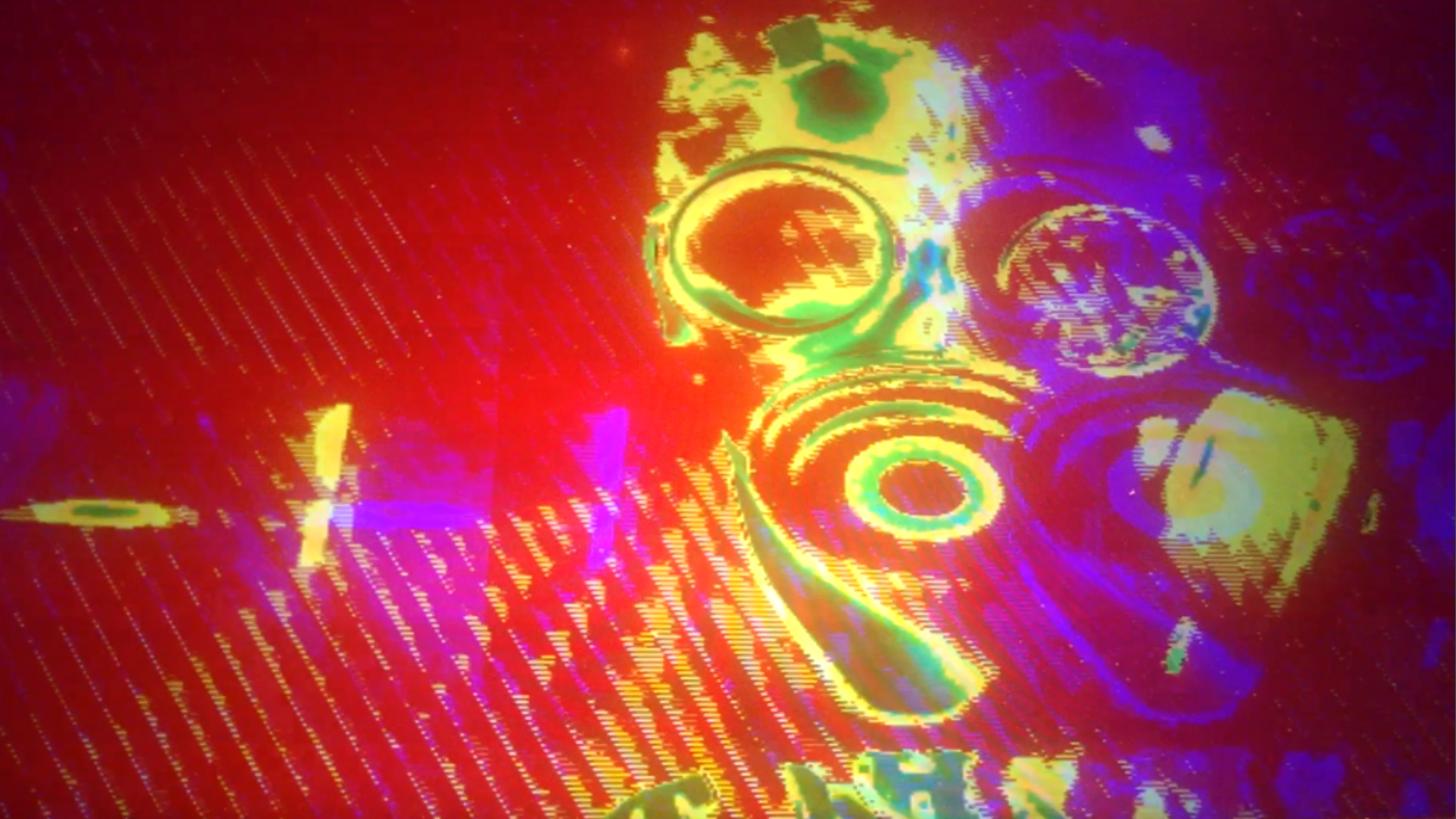
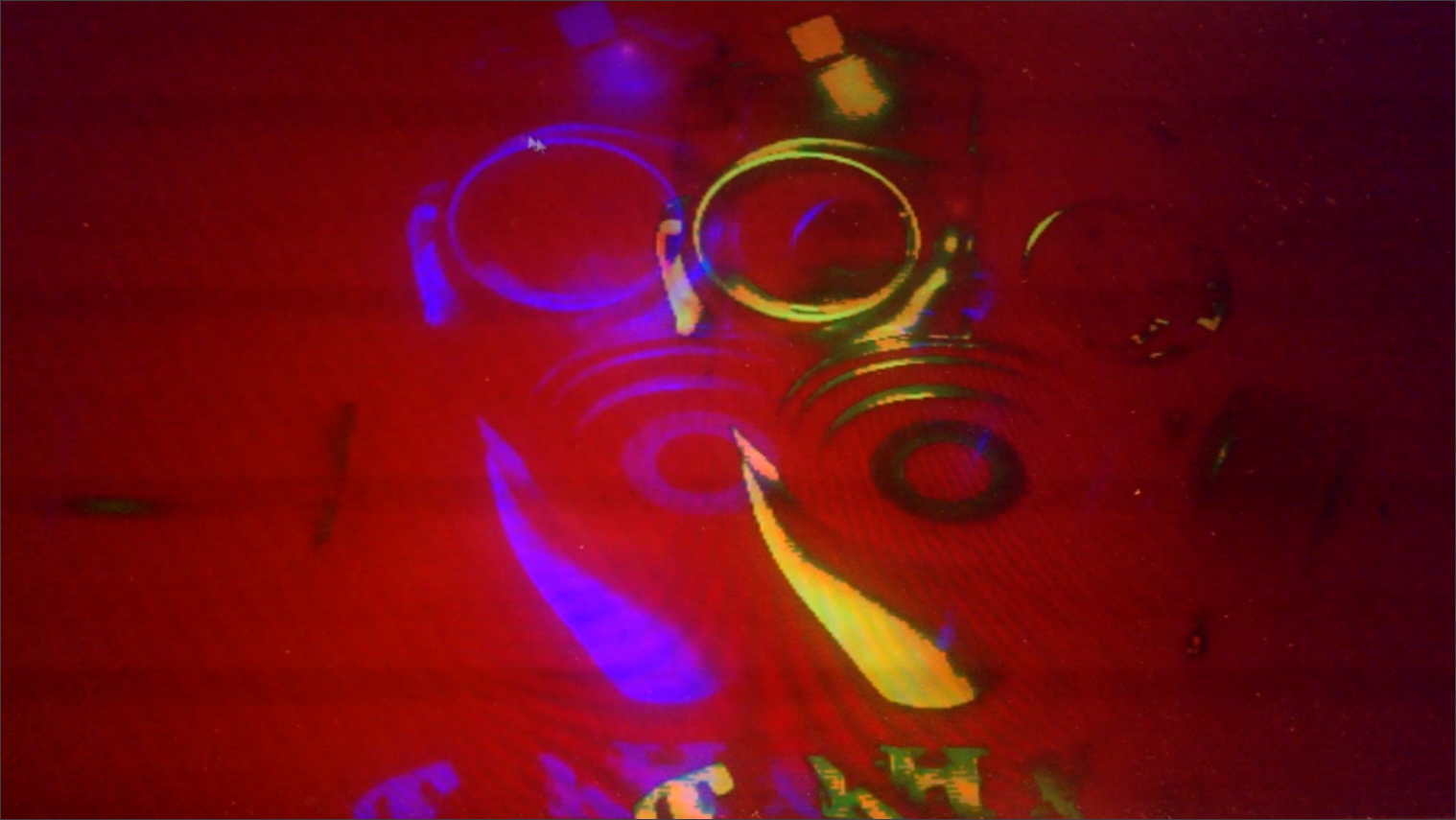
The Band > 7 Bit Army.
The Video Scrambler
A live cam  glitch art manipulation usable for live visuals for our performative band project. It is a Video and Audio Manipulation application with multiple controlable filtering options.
The Band > 7 Bit Army.
The Video Scrambler
Links for screen capture software – some are free, some offer trial period without watermark (for example, Snapz Pro):
http://www.top5freeware.com/top-5-best-free-screen-capture-software-for-windows
http://techmarketingbuffalo.com/5-best-free-screen-recorder-for-mac/
http://mac.appstorm.net/roundups/graphics-roundups/7-awesome-screen-capture-apps-made-for-the-mac/
http://www.macworld.com/product/collection/13587/mac-screen-capture-utilities.html
Also, on ofxaddons.com, under “graphics”, you can find more advanced solutions, such as ofxSyphon
I want to use the original sound of a movie sequence as input values. The value of the different frequencies will be used to control different image filters on the movie sequence.
I want to do a visualization of various shapes that are playing with each other or fighting over power. This is shown by them kicking each other and trying to make the others take over their form/color, or getting them out of the screen. The audio frequencies would decide the shape hierarchy, which one is more powerful and can convert the other ones.
Inspired by Walter Ruttmann, Hans Richter, Viking Eggeling and similar experimental films, I want to try to stay in this kind of visual language, using mainly basic shapes.
Viking Eggeling – Symphonie Diagonale http://vimeo.com/42401347
Walter Ruttmann – Lichtspiel: Opus IIÂ http://vimeo.com/42675987
Hans Richter – Rhythmus 23Â http://vimeo.com/42256945
More inspiration:
Art+Com – Medial Stage and Costume Design for “The Jew of Malta” http://vimeo.com/39257590 (especially the part starting at 09:50)
My goal is to create a vj’ing tool for loading and controlling vvvv patches. While there are existing solutions available I’ve always felt that they have some crucial problems that I want to solve with my own approach. The main thing is to make the patch as light-weight as possible which means that I will be satisfied using only one channel, displaying one patch at a time.
For each sub-patch I’ll provide twenty sliders for controlling different parameters and post-processing effects. Also to avoid the screensaver style non-changing nature of generative apps I will create a ten phase state machine to help adding some drama.
The plan is to work on GUI on Tuesday and Wednesday and once it’s done I will create a couple of example patches that show what one can do with my tool.
vvvv http://vvvv.org/
Svvvvitcher (for vvvv)Â http://vvvv.org/contribution/svvvvitcher
emptyset – Collapse http://www.youtube.com/watch?v=iu8tspoGuWw
My idea is still quite unstructured but I would like to build a visualization software by combining time-slicing and video feedback.
Here’s how it would work:
First idea for a setup:
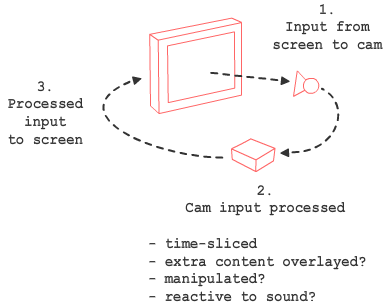
Second idea for a setup:
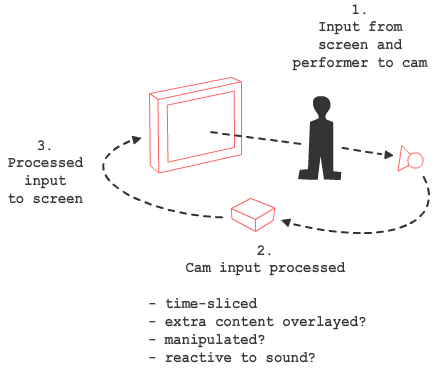
The results should be pretty psychedelic.
I will try to do this with open frameworks and c++. Plan B is to fall back to my comfort zone and use Flash.
Inspirations:
time-sliced video
example of real-time time-slicing
video feedback
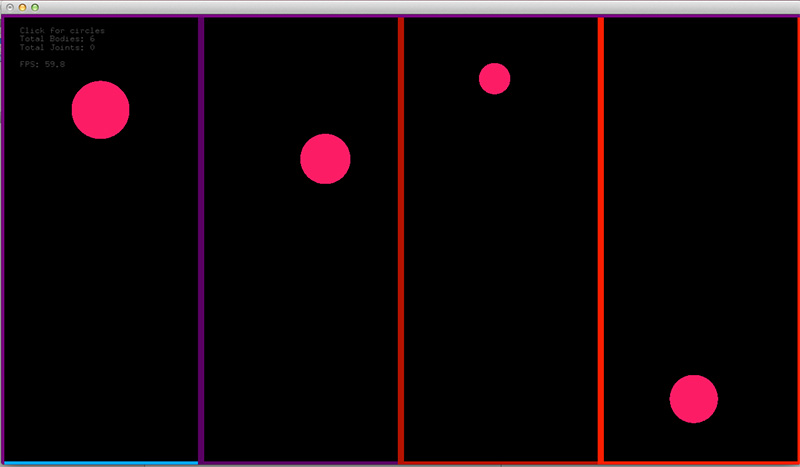
I will try to make this kind of rhythm machine where eternally bouncing balls will create the beat when hitting side of the screen(e.g. bottom). The speed of each ball could be adjusted individually and there could be also an adjustable overall tempo. The size of ball could determine the pitch.
I will send the parameter values through OSC to PureData  where I will do the sound synthesis. OF app will work as a visual playground for the hidden sound source.
This is the initial phase.
I can’t be separated from my notebook in my everyday life :take some notes, references, sketches often related to my computerized life, I mean my computer. I want to improve the use of a my sketchbook, I would like to link it with some functions of my computer using symbol or colors that it can recognize to do a specific action (ex: take a photo of the page and save it in the adapted folder, open this folder, put a memo in my calendar, or be a visual controller…)
I should use the addon OfxCV.
Inspiration : https://vimeo.com/42053193
Since it’s December, a bunch of my friends and I are doing secret santa. Given that we’re now spread across three countries, and shipping, logistics etc means that it’s become a real pain in the ass, it was suggested that we exchange drawings.
Not wanting to subject my kindergarten kid to my artistic prowess (or lack thereof) I decided to make a generative piece that he(or she) would have a hand (or two left feet and a hip) in.
So for the assignment, I want to create a program that will create a visualization that can be output as a pdf for printing. It will have circles that will be based on frequency analysis, the range running on the vertical height rather than horizontal, a few pixels over every second. The idea is that it will display, and leave the image of the circles behind with a very low alpha number (say 10%). To get the circles to display fully, my kindergarten kid has to dance very vigorously in front of the camera. Faster the ‘blobs’ move, the higher the alpha.
And here’s a dose of the music.
Audio visualizer with OpenFrameworks from Régis Frias on Vimeo.
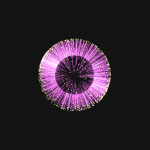
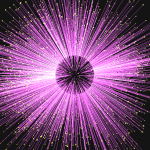
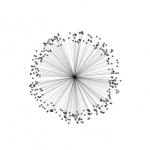
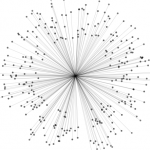
Inspiration (Magnetosphere, by Robert Hodgin):
I believe this was not supposed to be a tutorial or anything, but some people were curious to know how I did this exercise. Here’s how:
I started this sketch in order to study some behaviors I’ve seen on Robert Hodgin’s work (see video above). The idea was not so much to copy but to try to practice the skills necessary to achieve a specific result. In this case using a mathematical formula to place points around a sphere (check this nerdy post for more details — that is, if you can handle :D ):

The basic formula for the sphere in computer parlance looks like this:
x = cos( separationAngle * 2 * (PI/180) * theta) * sin( separationAngle * (PI/180) * fi ) * radius;
y = sin( separationAngle * 2 * (PI/180) * theta) * sin( separationAngle * (PI/180) * fi ) * radius;
z = cos( separationAngle * (PI/180) * fi ) * radius;
separationAngle is the angle between 2 successive points (360/numberOfPoints; more points => smaller angle
PI/180 converts degrees to radians (case you’re wondering)
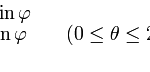
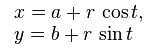
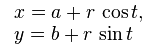
For simplicity’s sake I started with the two-dimensional version of the problem, a circle:
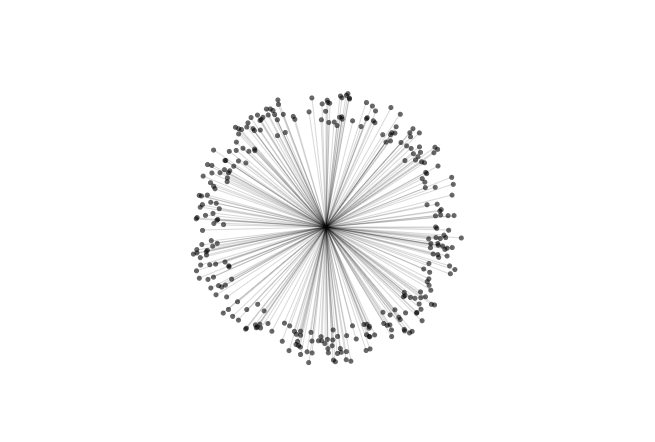
I created a Processing sketch to illustrate this (code for this is given at the bottom of the post):
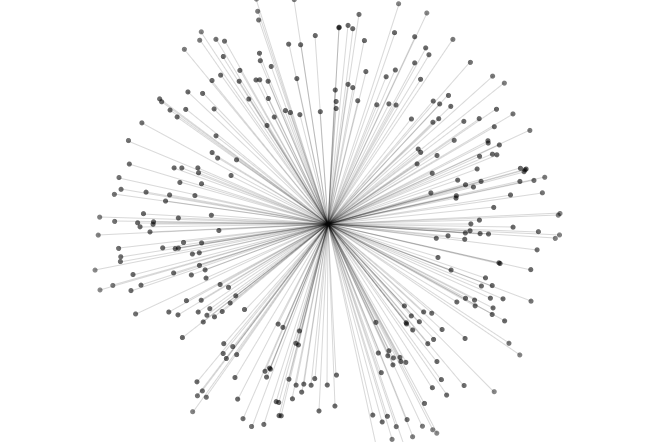
Next step was to make each point float in an interesting way. This was achieved by adding a value to the radius, relative to the position of the point in the sphere and a variation to the separationAngle:
x = cos(theta*(separationAngle + ang)*(PI/180)) * sin(fi*((separationAngle + ang)/2)*(PI/180)) * (radius + radVariation);
y = sin(theta*(separationAngle + ang)*(PI/180)) * sin(fi*((separationAngle + ang)/2)*(PI/180)) * (radius + radVariation);
z = cos(fi*((separationAngle + ang)/2)*(PI/180)) * (radius + radVariation);
ang ads some randomness to the separationAngle at the hit of UP or DOWN keyboard keys
radVariation is the radius variation at each point and is =
cos( 1 * (PI/180) + (theta/4 + waveTravel) ) *
sin( 1 * (PI/180) + (fi/4 + waveTravel) ) *
spread/5 + spread/5;
spread is the amount of variation added to the radius at each point. it gets a boost every time the mouse is pressed or some loudness is detected in the input
And that’s about it for now!
================================================
Processing version (you should be able to run this on your Processing-ready computer; it also works in JS mode \o/ — bless these nerds, also you may recognize some variable names from this nice fellow’s post from elsewhere):
int bgcolor = 255;
int numParticles = 300;
float radius;
float speed;
float angSpeed;
float gravity;
float friction;
float spread;
float angRand[] = new float[numParticles];
void setup(){
 background(bgcolor);
 size(700, 500);
 radius = height/5;

 speed = 0;
 angSpeed = 0;
 gravity = 0.00001;
 friction = .9999;
 spread = 100;
for(int i = 0; i < numParticles; i++){
 angRand[i] = random(-180, 180);
 }
}
void draw(){
 background(bgcolor);

 translate(width/2, height/2);

 for(int i = 0; i < numParticles; i++){
 float radiusIncr = spread * (angRand[i]+200)/180;

 float x = cos(radians(360/numParticles * (i) + angRand[i] + (frameCount/500 + angSpeed)*i)) * (radius + radiusIncr);
 float y = sin(radians(360/numParticles * (i) + angRand[i] + (frameCount/500 + angSpeed)*i)) * (radius + radiusIncr);

 float x2 = cos(radians(360/numParticles * (i) + angRand[i]/2 )) * (radius - radiusIncr);
 float y2 = sin(radians(360/numParticles * (i) + angRand[i]/2 )) * (radius - radiusIncr);

 // Accelerate (change speed) by gravity
 speed += gravity;
 // Move by speed
 spread -= speed;

 // Bounce off Circle
 if (spread <= 0){
 spread = 0;
 // Reverse direction
 speed *= -1;
 }
 speed *= friction;

 angSpeed += gravity;
 angSpeed *= friction;

 stroke(0, 20);
 line(x, y, 0, 0);
 noStroke();
 fill(0, constrain(255 - radiusIncr, 0, 150) );
 ellipse(x, y, 5, 5);
 }
}
void mousePressed(){
 speed -= .1;
 angSpeed -= 2;
}